The gap compliance leaves
Accessibility has made real progress against sensory and motor barriers. Cognitive accessibility is harder to define, and practical methods lag behind, even as frameworks recognize the issue (W3C Web Accessibility Initiative 2023). Consider a government service that sends citizens through several nested categories before the right form. Every step may work with a screen reader and still be hard to interpret, because the person must understand how the organization is divided internally.
Overload is not the only cognitive barrier
Cognitive accessibility guidance usually targets overload: too much on the screen at once. Reducing clutter helps. But a screen can show very little and still require people to interpret an unfamiliar structure. That second barrier is cognitive distance, and removing visual complexity does not solve it.
When systems hand their work to users
Document upload forms show the pattern clearly. The system asks for a PDF under two megabytes. To comply, the person must know what a file format is, how to convert one, what file size means and how to reduce it. People turn to online converters, compression apps, re-photographing the document, or sending it to themselves through a messaging app to make it smaller.
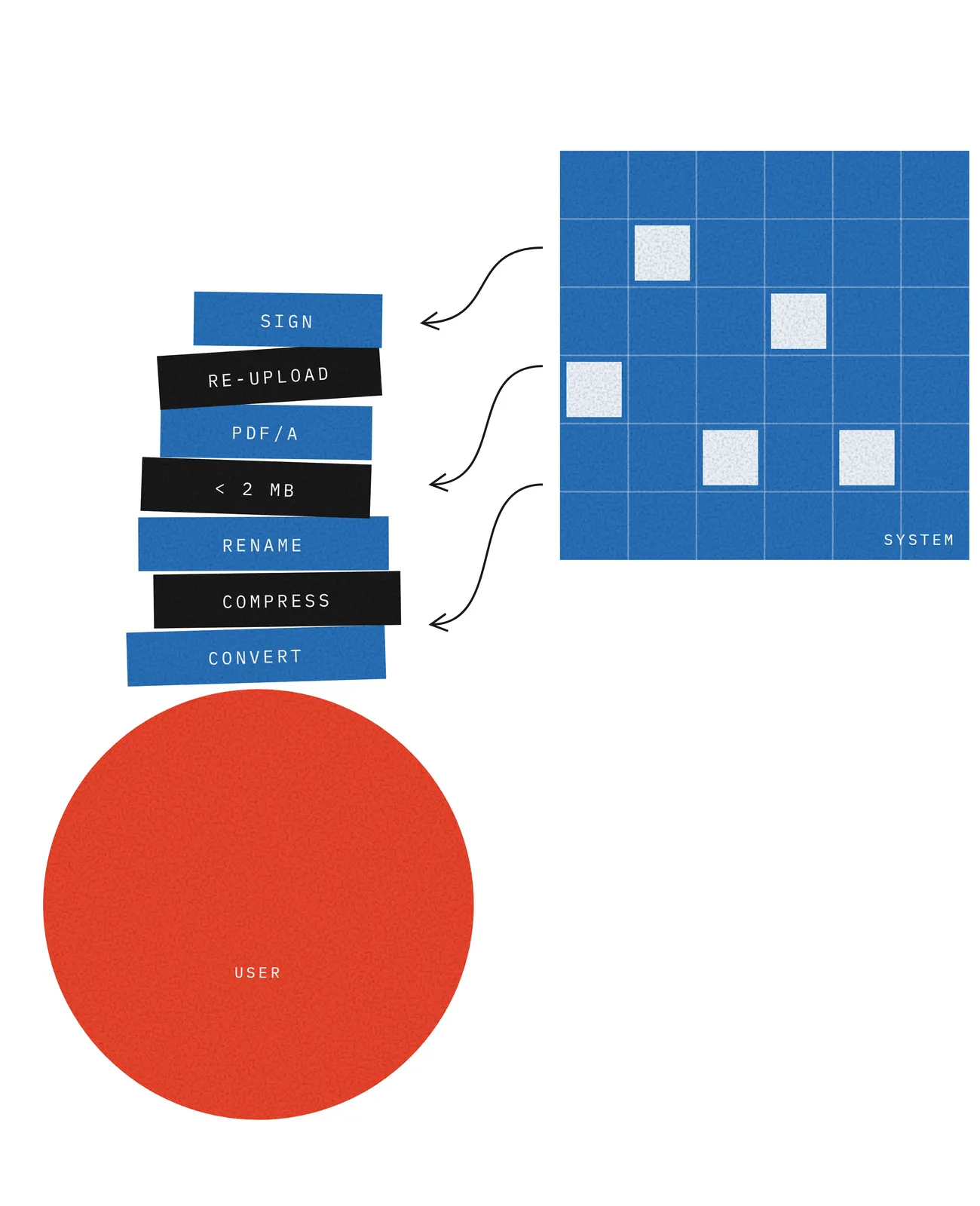
The book calls this externalized processing: work the system could reasonably do itself is handed to the person. For a technically experienced user it adds effort. For someone without that experience it adds distance: they do not know what is being asked, and trying harder does not help. So it falls hardest on the people accessibility standards are meant to protect, while passing every conformance check.
Accessibility debt
Each small interpretive barrier may be tolerable on its own. Together they compound across a service, resist late fixes, and exclude people even though every screen passes review. Like technical debt, this accessibility debt is cheapest to avoid at design time and is eventually paid, usually by the users least able to afford it and by the support teams who answer their calls.
Questions to add to an accessibility review
- Does the structure follow how people think about their goal, or how the organization is divided?
- Do labels use the words people use, or internal terms?
- Does the workflow follow the order of the real-world task?
- Does the system do the conversion, compression and formatting it reasonably can, instead of asking the person to?
- When something is rejected or pending, does the screen say why and what to do next, not only a code or a stage number?
- Can people with no prior knowledge of the service predict and explain the outcome?
Questions people ask
Is a WCAG-compliant website accessible to everyone?
Not necessarily. WCAG conformance covers perceivable and operable elements, and some cognitive aspects, but a compliant service can still exclude people who cannot interpret its structure, terms or requirements.
What is externalized processing?
The allocation of work a system could reasonably automate, such as converting, compressing or renaming a file, to the user instead. It raises effort for some people and makes the task impossible to understand for others.
What is accessibility debt?
The compounding cost of small interpretive barriers left in place across a system. Each one seems minor, but together they exclude people and grow more expensive to fix over time.
Read more in the book
This guide is drawn from From Cognitive Load to Cognitive Distance by Izaias Cavalcanti. The whole book is free to read online and as a PDF.
- Chapter 5: Accessibility and Cognitive Barriers
- Chapter 10: Systems and Institutions
- What is cognitive distance?
Cite this guide
Cavalcanti, I. (2026). From Cognitive Load to Cognitive Distance: Reframing Usability and Accessibility in Information Systems. https://book.izaias.xyz/